Handheld Touch POS and Receipt Printer for Chicken Mutton Shop
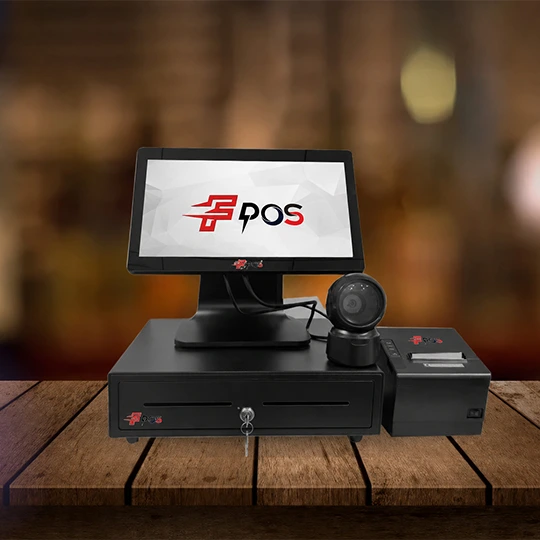
Running a chicken or mutton shop requires quick billing, accurate order management, and smooth customer service. During busy hours, manual billing can take extra time and may lead to calculation or pricing errors. A modern POS solution can make daily shop operations easier and more organized. A Handheld Touch POS for Chicken Mutton Shop can help staff create bills quickly while moving around the shop. Along with a reliable Receipt Printer for Chicken Mutton Shop, it provides a convenient solution for billing and receipt generation. Why Does a Chicken and Mutton Shop Need a POS System? Meat shops often handle multiple customer orders throughout the day. Different cuts, quantities, prices, and special requests can make manual billing difficult. A digital POS system can simplify these tasks by allowing staff to enter products and quantities directly on a touchscreen. It can help reduce calculation errors and make the checkout process more efficient. For shops that need flexible billing, a handheld POS device can also be useful because employees can carry the device around the counter or shop area. Benefits of a Handheld Touch POS for Chicken Mutton Shop A Handheld Touch POS for Chicken Mutton Shop is designed for businesses that need convenient and quick billing. Its compact design allows staff to access billing functions without being restricted to a traditional desktop counter. 1. Quick Touchscreen Billing Touchscreen billing makes it easier for staff to select products, enter quantities, and generate customer bills. This can help speed up the checkout process, especially during busy periods. 2. Convenient Handheld Operation A handheld POS can provide more flexibility than a fixed billing terminal. Staff can carry the device within the shop and use it wherever billing is required. 3. Easy Order Entry Different meat products and quantities can be organized within the billing system. Staff can select the required item and enter the quantity to prepare the bill. 4. Improved Billing Accuracy Manual calculations can sometimes result in mistakes. A digital POS system can automatically calculate totals based on the entered products and quantities, helping create more consistent bills. 5. Organized Sales Records Digital billing allows businesses to maintain transaction records in a more structured way. These records can help shop owners review sales and understand daily business activity. Importance of a Receipt Printer for Chicken Mutton Shop After completing a sale, customers may need a printed bill or receipt. A reliable Receipt Printer for Chicken Mutton Shop can generate receipts quickly and provide customers with transaction details. A receipt can include information such as the shop name, purchased items, quantity, price, total amount, and transaction details. Providing a clear receipt can also create a more professional checkout experience. Choose the Right POS and Receipt Printing Solution Every chicken and mutton shop has different billing requirements. A small shop may need a compact handheld solution, while a larger store may require a complete POS setup with a touchscreen terminal and receipt printer. When selecting a POS system, consider factors such as: Easy-to-use touchscreen interface Fast and reliable billing Compact and practical design Compatibility with receipt printers Easy product and price management Reliable performance for everyday use Suitable connectivity options Choosing equipment based on your shop’s daily requirements can help create a smoother billing workflow. Improve Your Meat Shop Billing Experience A modern POS setup can simplify several everyday billing tasks. From entering customer orders to calculating totals and printing receipts, digital tools can make the checkout process more convenient. For businesses looking for a Handheld Touch POS for Chicken Mutton Shop or a dependable Receipt Printer for Chicken Mutton Shop, choosing a suitable POS solution can help improve billing efficiency and customer service.
Label Printer | Complete Guide to Thermal, Sticker and Barcode Label Printing Machines
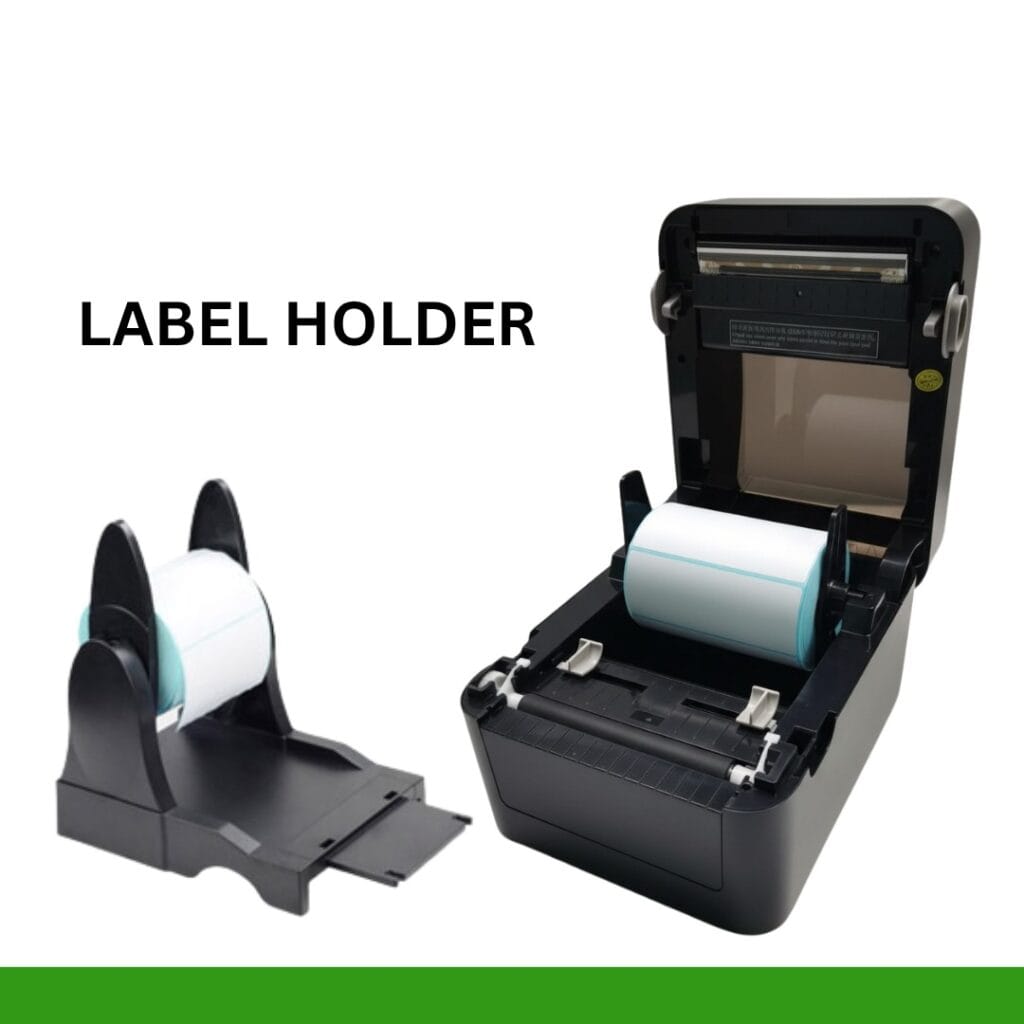
A dedicated label printer is designed to print labels, stickers, barcodes, product information, and other business details in different sizes and formats. For businesses that handle regular labeling work, using a specialized printer can be more convenient than using a standard office printer. At Billing Machine India, businesses can explore POS and printing solutions designed for different commercial requirements, including label and receipt printing solutions. What Is a Label Printer? A label printer is a specialized printing machine used to print information directly onto labels or adhesive materials. Depending on the printer and application, labels can include product names, prices, barcodes, QR codes, SKU numbers, batch details, addresses, and other information. Label printers are commonly used in retail stores, supermarkets, warehouses, courier services, e-commerce businesses, restaurants, pharmacies, and manufacturing units. Instead of manually writing or preparing labels, businesses can create consistent and professional-looking labels quickly. This can help improve product identification and make inventory and billing-related tasks more organized. What Is a Thermal Label Printer? A thermal label printer uses heat-based printing technology to create text, graphics, and barcodes on compatible label material. Thermal printing is popular because it is designed specifically for fast and convenient label printing. There are two common types of thermal printing: Direct Thermal Printing Direct thermal printing creates an image by applying heat directly to heat-sensitive label material. It is commonly used for applications such as shipping labels, temporary labels, delivery labels, and other short-term identification requirements. Thermal Transfer Printing Thermal transfer printing uses a ribbon to transfer the image onto the label material. It can be suitable when businesses require labels that need to remain readable for longer periods or withstand particular environmental conditions. The right type depends on your business requirements, label material, expected usage, and durability requirements. Why Use a Sticker Label Printer? A sticker label printer can be useful for businesses that need adhesive labels regularly. Instead of purchasing pre-printed stickers for every product or manually preparing labels, businesses can print customized stickers according to their requirements. For example, a retail store can use sticker labels for product prices and barcodes. An online seller can print shipping stickers, while a warehouse can create inventory identification labels. A dedicated sticker printer can also help maintain consistency in label size, formatting, and product information. Barcode Label Printer for Business A barcode label printer is particularly useful for retail stores, supermarkets, warehouses, distributors, and businesses that manage a large number of products. Barcode labels can contain product codes, SKU information, pricing details, or other identification data. When used with a compatible barcode scanner or POS system, they can help businesses manage product identification and billing workflows more efficiently. For example, a retail product label may include: Product name Barcode SKU number Price Product code Batch information Other relevant details A clear barcode is important because it needs to be easily scanned by compatible equipment. Therefore, businesses should consider print quality and resolution when choosing a barcode printer. Where Are Label Printing Machines Used? Modern label printing machines are suitable for a wide range of business applications. Retail Stores Retailers can use label printers to create product labels, price stickers, barcode labels, and inventory tags. This can help keep product identification organized. Supermarkets and Grocery Stores Supermarkets often manage hundreds or thousands of products. Barcode and price labels can make product management and identification easier. E-Commerce Online businesses require shipping and product labels for orders. A thermal label printer can provide a convenient solution for printing shipping information and package labels. Warehouses Warehouses can use labels for products, shelves, storage locations, cartons, and inventory tracking. Logistics and Courier Businesses Courier and logistics companies handle large quantities of packages every day. Clear shipping and identification labels are essential for organized package handling. Manufacturing Manufacturers can use labels for product identification, cartons, components, inventory, and other operational requirements. Important Features to Check Before Buying a Label Printer Choosing the right label printer requires more than simply looking at the price. Consider the following features before purchasing. Printing Speed If your business prints a large number of labels every day, printing speed is important. A suitable printer should be able to handle your expected workload efficiently. Print Quality Clear text and sharp barcodes are essential for professional labeling and reliable scanning. Choose an appropriate print resolution based on your label requirements. Label Size Different businesses use different label sizes. Check the printer’s supported label width and media specifications before making a purchase. Connectivity Depending on your setup, you may need USB, Ethernet, Wi-Fi, Bluetooth, or another connection option. Make sure the printer can work with your existing POS or computer system. Printing Volume Consider how many labels you expect to print daily. A small shop may have different requirements from a warehouse or large retail business. Ease of Use A user-friendly printer can make everyday printing easier for employees and reduce unnecessary operational complexity. Benefits of Using a Thermal Label Printer A good thermal label printer can provide several practical advantages for businesses: Fast and convenient label printing Clear product and barcode labels Professional-looking stickers Suitable for retail and inventory applications Convenient printing for shipping and packaging Consistent label formatting Reduced dependence on traditional ink-based printing Easy integration with many business workflows For businesses that print labels regularly, investing in a suitable label printing solution can save time and make routine operations more organized. How to Choose the Right Label Printing Machine? Before purchasing a label printing machine, first identify your actual business requirements. Ask yourself what type of labels you need, how many labels you print each day, which label sizes you use, whether you require barcodes, and how long the labels need to remain readable. You should also check whether the printer is compatible with your existing billing software, POS system, computer, or inventory management setup. For businesses already using POS billing systems, choosing compatible printing equipment can help create a more connected billing and labeling workflow.
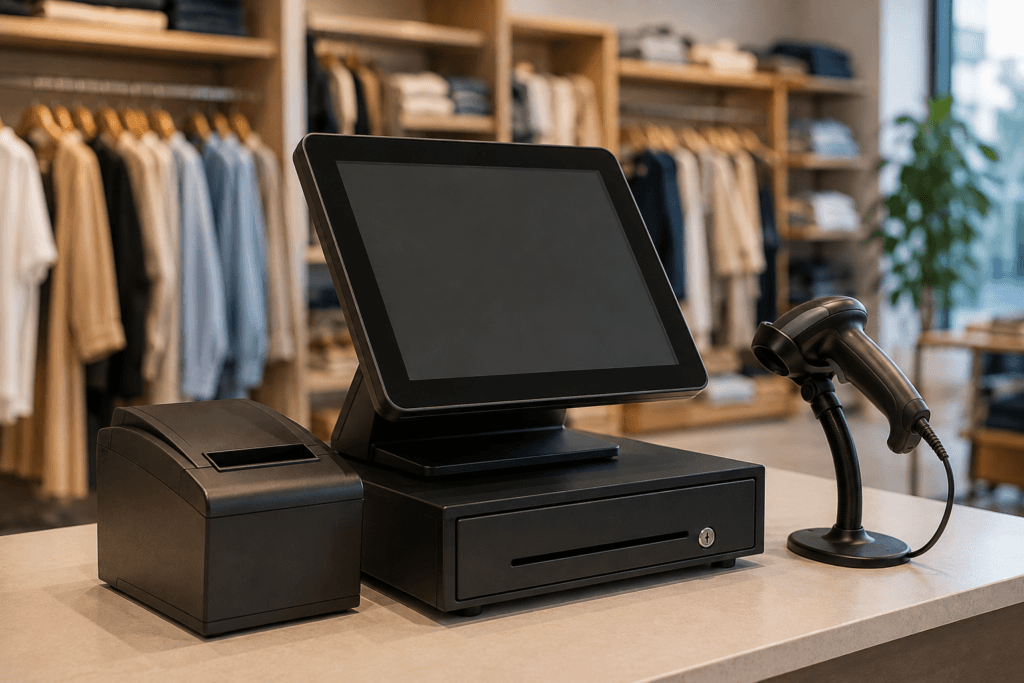
POS Billing Machine for Retail Shops | Make Everyday Billing Faster and Easier
Running a retail shop means handling customers, products, prices, payments, and bills throughout the day. When billing is done manually, even a small mistake can lead to incorrect invoices, longer queues, and difficulty managing sales records. A POS billing machine for retail shops can make the entire billing process faster, more accurate, and easier to manage. Whether you own a grocery store, clothing shop, electronics store, general retail outlet, or other small business, choosing the right retail POS system can help you manage daily operations more efficiently. What Is a POS Billing Machine? A POS billing machine is a complete billing solution that allows retailers to create bills, calculate prices, manage products, and record sales from one system. Depending on the setup, it can also work with barcode scanners, receipt printers, cash drawers, and other POS accessories. Modern POS systems are designed to make checkout simple. Instead of manually calculating every item, the salesperson can scan the product, select the required quantity, and generate the bill within seconds. Why Do Retail Shops Need a POS Billing Machine? Retail businesses often deal with hundreds or even thousands of products. Managing everything manually becomes difficult as the business grows. A retail billing machine can help with: Faster customer checkout Accurate bill calculation Easy product and price management Quick receipt printing Better sales record keeping Reduced manual billing errors Easier day-to-day store management For busy retail shops, faster billing can also help reduce customer waiting time during peak hours. Key Features to Look for in a Retail POS System Not every retail shop has the same requirements. Before purchasing a POS system, consider the features that are most useful for your business. 1. Fast and Accurate Billing The primary purpose of a POS system is to simplify billing. A good system should allow staff to create bills quickly while automatically calculating prices, quantities, discounts, and totals. 2. Touchscreen Operation A touchscreen POS makes billing convenient and easy to operate. Staff can quickly select products and navigate through the billing software without complicated procedures. 3. Barcode Scanning For retail stores with a large product inventory, barcode scanning can significantly speed up checkout. Scanning a product can automatically bring up its details and price, reducing the need for manual entry. 4. Receipt Printing A POS billing machine can be connected to a receipt printer to provide customers with a clear printed bill. Fast receipt printing is particularly useful when several customers are waiting at the counter. 5. Inventory Management Managing stock is an important part of retail operations. A suitable POS solution can help retailers keep track of products and identify items that need to be restocked. 6. Sales Reports Sales information can help business owners understand which products are selling well and how the store is performing. POS systems can make accessing sales information more convenient than maintaining manual records. POS Billing Machine for Different Types of Retail Shops A POS system can be useful for many types of retail businesses. Grocery Stores: Quickly scan products, generate bills, and manage a large number of everyday items. Clothing Stores: Handle product variations such as sizes, colors, and different prices more efficiently. Electronics Shops: Maintain product information and generate accurate customer bills. General Retail Stores: Manage everyday sales and simplify the checkout process. The right setup depends on your store size, product range, billing volume, and business requirements. How a POS System Improves the Customer Checkout Experience Customers usually prefer a checkout process that is quick and straightforward. Long queues and billing mistakes can negatively affect their shopping experience. With a retail POS system, products can be added quickly, totals can be calculated automatically, and receipts can be printed within moments. This helps create a smoother checkout experience for both customers and staff.