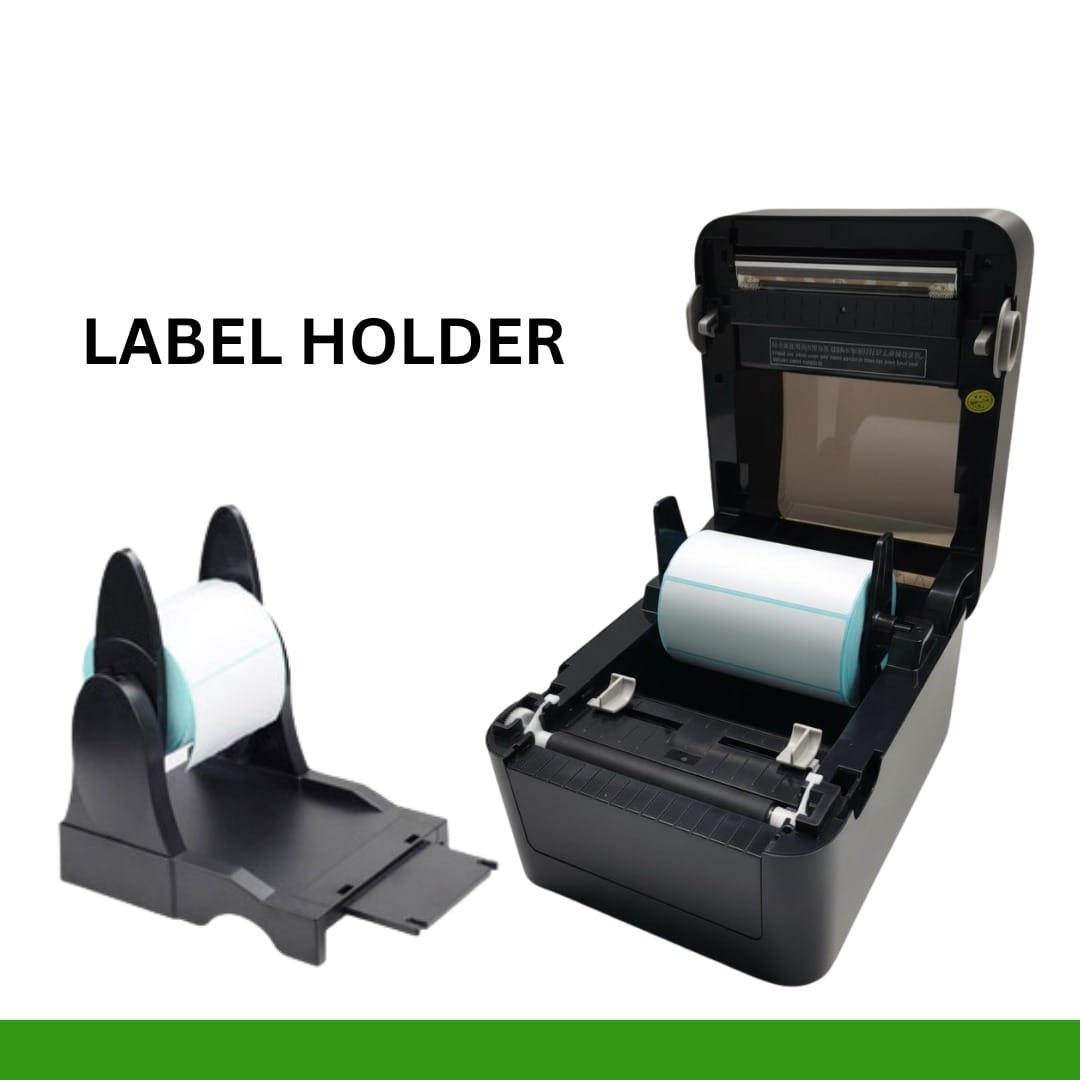

A dedicated label printer is designed to print labels, stickers, barcodes, product information, and other business details in different sizes and formats. For businesses that handle regular labeling work, using a specialized printer can be more convenient than using a standard office printer.
At Billing Machine India, businesses can explore POS and printing solutions designed for different commercial requirements, including label and receipt printing solutions.
What Is a Label Printer?
A label printer is a specialized printing machine used to print information directly onto labels or adhesive materials. Depending on the printer and application, labels can include product names, prices, barcodes, QR codes, SKU numbers, batch details, addresses, and other information.
Label printers are commonly used in retail stores, supermarkets, warehouses, courier services, e-commerce businesses, restaurants, pharmacies, and manufacturing units.
Instead of manually writing or preparing labels, businesses can create consistent and professional-looking labels quickly. This can help improve product identification and make inventory and billing-related tasks more organized.
What Is a Thermal Label Printer?
A thermal label printer uses heat-based printing technology to create text, graphics, and barcodes on compatible label material. Thermal printing is popular because it is designed specifically for fast and convenient label printing.
There are two common types of thermal printing:
Direct Thermal Printing
Direct thermal printing creates an image by applying heat directly to heat-sensitive label material. It is commonly used for applications such as shipping labels, temporary labels, delivery labels, and other short-term identification requirements.
Thermal Transfer Printing
Thermal transfer printing uses a ribbon to transfer the image onto the label material. It can be suitable when businesses require labels that need to remain readable for longer periods or withstand particular environmental conditions.
The right type depends on your business requirements, label material, expected usage, and durability requirements.
Why Use a Sticker Label Printer?
A sticker label printer can be useful for businesses that need adhesive labels regularly. Instead of purchasing pre-printed stickers for every product or manually preparing labels, businesses can print customized stickers according to their requirements.
For example, a retail store can use sticker labels for product prices and barcodes. An online seller can print shipping stickers, while a warehouse can create inventory identification labels.
A dedicated sticker printer can also help maintain consistency in label size, formatting, and product information.
Barcode Label Printer for Business
A barcode label printer is particularly useful for retail stores, supermarkets, warehouses, distributors, and businesses that manage a large number of products.
Barcode labels can contain product codes, SKU information, pricing details, or other identification data. When used with a compatible barcode scanner or POS system, they can help businesses manage product identification and billing workflows more efficiently.
For example, a retail product label may include:
- Product name
- Barcode
- SKU number
- Price
- Product code
- Batch information
- Other relevant details
A clear barcode is important because it needs to be easily scanned by compatible equipment. Therefore, businesses should consider print quality and resolution when choosing a barcode printer.
Where Are Label Printing Machines Used?
Modern label printing machines are suitable for a wide range of business applications.
Retail Stores
Retailers can use label printers to create product labels, price stickers, barcode labels, and inventory tags. This can help keep product identification organized.
Supermarkets and Grocery Stores
Supermarkets often manage hundreds or thousands of products. Barcode and price labels can make product management and identification easier.
E-Commerce
Online businesses require shipping and product labels for orders. A thermal label printer can provide a convenient solution for printing shipping information and package labels.
Warehouses
Warehouses can use labels for products, shelves, storage locations, cartons, and inventory tracking.
Logistics and Courier Businesses
Courier and logistics companies handle large quantities of packages every day. Clear shipping and identification labels are essential for organized package handling.
Manufacturing
Manufacturers can use labels for product identification, cartons, components, inventory, and other operational requirements.
Important Features to Check Before Buying a Label Printer
Choosing the right label printer requires more than simply looking at the price. Consider the following features before purchasing.
Printing Speed
If your business prints a large number of labels every day, printing speed is important. A suitable printer should be able to handle your expected workload efficiently.
Print Quality
Clear text and sharp barcodes are essential for professional labeling and reliable scanning. Choose an appropriate print resolution based on your label requirements.
Label Size
Different businesses use different label sizes. Check the printer’s supported label width and media specifications before making a purchase.
Connectivity
Depending on your setup, you may need USB, Ethernet, Wi-Fi, Bluetooth, or another connection option. Make sure the printer can work with your existing POS or computer system.
Printing Volume
Consider how many labels you expect to print daily. A small shop may have different requirements from a warehouse or large retail business.
Ease of Use
A user-friendly printer can make everyday printing easier for employees and reduce unnecessary operational complexity.
Benefits of Using a Thermal Label Printer
A good thermal label printer can provide several practical advantages for businesses:
- Fast and convenient label printing
- Clear product and barcode labels
- Professional-looking stickers
- Suitable for retail and inventory applications
- Convenient printing for shipping and packaging
- Consistent label formatting
- Reduced dependence on traditional ink-based printing
- Easy integration with many business workflows
For businesses that print labels regularly, investing in a suitable label printing solution can save time and make routine operations more organized.
How to Choose the Right Label Printing Machine?
Before purchasing a label printing machine, first identify your actual business requirements.
Ask yourself what type of labels you need, how many labels you print each day, which label sizes you use, whether you require barcodes, and how long the labels need to remain readable.
You should also check whether the printer is compatible with your existing billing software, POS system, computer, or inventory management setup.
For businesses already using POS billing systems, choosing compatible printing equipment can help create a more connected billing and labeling workflow.