
Running a retail shop means handling customers, products, prices, payments, and bills throughout the day. When billing is done manually, even a small mistake can lead to incorrect invoices, longer queues, and difficulty managing sales records. A POS billing machine for retail shops can make the entire billing process faster, more accurate, and easier to manage.
Whether you own a grocery store, clothing shop, electronics store, general retail outlet, or other small business, choosing the right retail POS system can help you manage daily operations more efficiently.
What Is a POS Billing Machine?
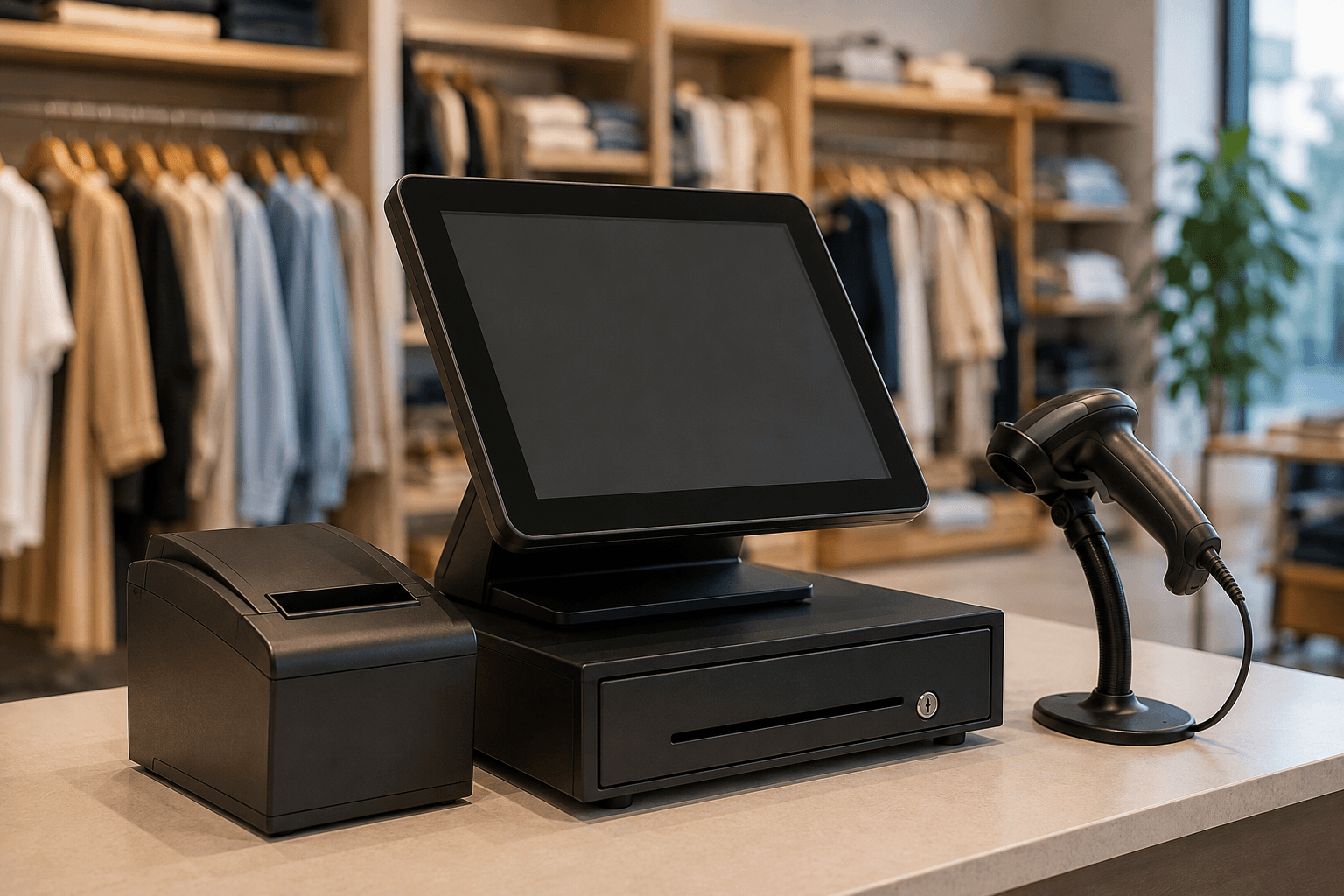
A POS billing machine is a complete billing solution that allows retailers to create bills, calculate prices, manage products, and record sales from one system. Depending on the setup, it can also work with barcode scanners, receipt printers, cash drawers, and other POS accessories.
Modern POS systems are designed to make checkout simple. Instead of manually calculating every item, the salesperson can scan the product, select the required quantity, and generate the bill within seconds.
Why Do Retail Shops Need a POS Billing Machine?
Retail businesses often deal with hundreds or even thousands of products. Managing everything manually becomes difficult as the business grows.
A retail billing machine can help with:
- Faster customer checkout
- Accurate bill calculation
- Easy product and price management
- Quick receipt printing
- Better sales record keeping
- Reduced manual billing errors
- Easier day-to-day store management
For busy retail shops, faster billing can also help reduce customer waiting time during peak hours.
Key Features to Look for in a Retail POS System
Not every retail shop has the same requirements. Before purchasing a POS system, consider the features that are most useful for your business.
1. Fast and Accurate Billing
The primary purpose of a POS system is to simplify billing. A good system should allow staff to create bills quickly while automatically calculating prices, quantities, discounts, and totals.
2. Touchscreen Operation
A touchscreen POS makes billing convenient and easy to operate. Staff can quickly select products and navigate through the billing software without complicated procedures.
3. Barcode Scanning
For retail stores with a large product inventory, barcode scanning can significantly speed up checkout. Scanning a product can automatically bring up its details and price, reducing the need for manual entry.
4. Receipt Printing
A POS billing machine can be connected to a receipt printer to provide customers with a clear printed bill. Fast receipt printing is particularly useful when several customers are waiting at the counter.
5. Inventory Management
Managing stock is an important part of retail operations. A suitable POS solution can help retailers keep track of products and identify items that need to be restocked.
6. Sales Reports
Sales information can help business owners understand which products are selling well and how the store is performing. POS systems can make accessing sales information more convenient than maintaining manual records.
POS Billing Machine for Different Types of Retail Shops
A POS system can be useful for many types of retail businesses.
Grocery Stores: Quickly scan products, generate bills, and manage a large number of everyday items.
Clothing Stores: Handle product variations such as sizes, colors, and different prices more efficiently.
Electronics Shops: Maintain product information and generate accurate customer bills.
General Retail Stores: Manage everyday sales and simplify the checkout process.
The right setup depends on your store size, product range, billing volume, and business requirements.
How a POS System Improves the Customer Checkout Experience
Customers usually prefer a checkout process that is quick and straightforward. Long queues and billing mistakes can negatively affect their shopping experience.
With a retail POS system, products can be added quickly, totals can be calculated automatically, and receipts can be printed within moments. This helps create a smoother checkout experience for both customers and staff.